Just announced: New Viltrox AF 26mm f/2.8 EVO Z Lens
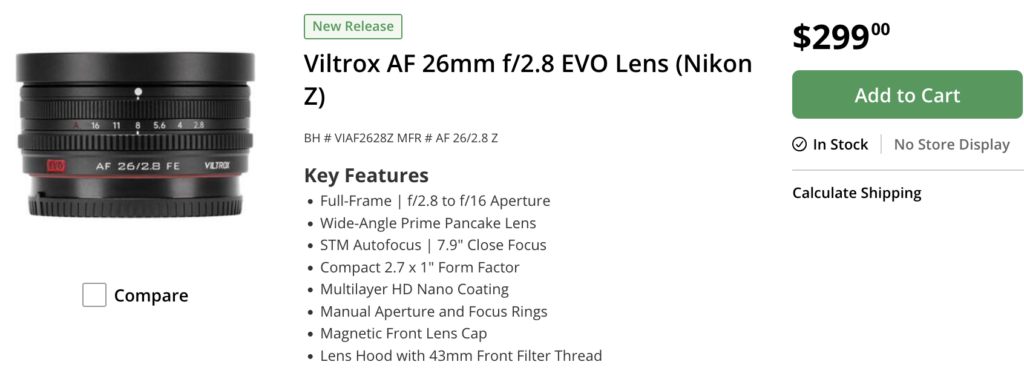
You can now preorder the new Viltrox 26mm f/2.8 Z AF pancake lens at BHphoto, Amazon USA, Viltroxstore, Amazon EU&AUS&CA, Fotoerhardt.

You can now preorder the new Viltrox 26mm f/2.8 Z AF pancake lens at BHphoto, Amazon USA, Viltroxstore, Amazon EU&AUS&CA, Fotoerhardt.
Chris tested the four High Res cameras from each company. That’s what he thinks about them:
So who wins?

Meike has officially announced the development of the AF 85mm F1.2 lens—a full-frame, autofocus prime lens featuring a fast F1.2 aperture. It will utilize Meike’s latest proprietary technology, prioritizing weight reduction while maintaining high optical quality; the optical design is already largely complete, with the lens body weight kept under 900g. Two development paths are currently being explored:
Which version do you prefer?
–
via Weibo
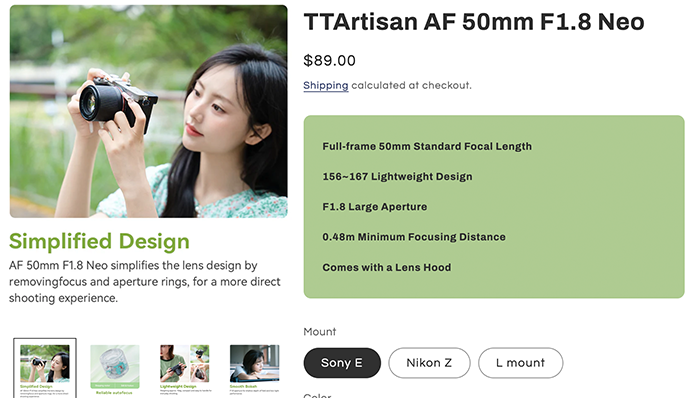
This is quite cool: You can get a fast 50mm autofocus lens for just $89 at BHphoto, Amazon, and the TTArtisan Store!
Coll to see how the camera looks inside!

Press text:
DZOFILM has announced the launch of the Octopus II Adapter and Marlin 1.4x Extender, providing with greater flexibility, compatibility, and efficiency across a wide range of filmmaking applications, from short-form bloggers, content creators, livestreamers and YouTubers to independent filmmakers, commercial media and advertising, and professional DOPs.
Octopus II: 2nd Generation Multi-Mount Lens Adapter
The new Octopus II is a highly versatile multi-mount lens adapter that supports E, Z, L, and RF mount lenses, as well as Super35, full-frame, and medium-format sensors. With 7.12% more internal space, it offers improved compatibility with DZOFILM’s Arles, Arcana, Vespid, Catta, Pictor, Gnosis, and other professional cinema lenses.
The second-generation design is up to 49% lighter, weighing as little as 190g (depending on mount). Its strong aluminum body is paired with a stainless-steel mount that is rated for more than 100,000 mounting cycles with 0.01mm precision, ensuring long-term reliability and durability.
The redesigned ergonomic handle features directional guides that make lens changes easier, particularly when working with handheld or fully rigged camera setups. A detachable 1/4″ threaded base allows the center of gravity to be shifted onto the adapter, reducing stress on the camera’s native mount. In addition, the factory pre-set flange focal distance eliminates the need for calibration while ensuring accurate infinity focus.
Marlin 1.4x Extender with Integrated Back-Focus Adjustment
The new Marlin 1.4x Extender increases effective focal length by 1.4x while maintaining light loss below one stop, enabling lenses designed for Super35 to cover full-frame sensors.
The extender incorporates premium high-refractive-index SR optical elements, large-diameter aspherical lenses, and an internally flocked design that effectively minimizes stray light. Chromatic aberration is tightly controlled, helping preserve the original character of the lens. Integrated back-focus adjustment eliminates the need for operators to detach the lens or use shims during setup and fine-tuning.
Manufactured with stainless-steel mounts on both sides, the Marlin 1.4x Extender is engineered for long-term reliability and durability. Precision machining further helps prevent binding during mounting and operation.